
Integrations: TrainingPeaks
TrainingPeaks & ErgZone Integration
The integration between ErgZone and TrainingPeaks provides a seamless, two-way data flow designed to simplify your training workflow. By connecting these platforms, you can automate your workout programming and ensure every meter, stroke, and watt is accurately recorded in your primary training calendar.
Core Features
- Automatic Workout Sync: Planned workouts from your TrainingPeaks calendar appear automatically in ErgZone.
- Performance Uploads: Completed workout data is sent directly to TrainingPeaks as high-fidelity sessions.
- Cross-Platform Support: Works across all ErgZone-compatible machines (Row, Bike, Ski, and Moto).
- Precision Metrics: Uploads include interval breakdowns, heart rate data, and power curves where applicable.
Setup Instructions
Connecting your accounts is a one-time process handled within the ErgZone app:
-
Access Settings: Open the ErgZone app and tap the Settings (gear icon).
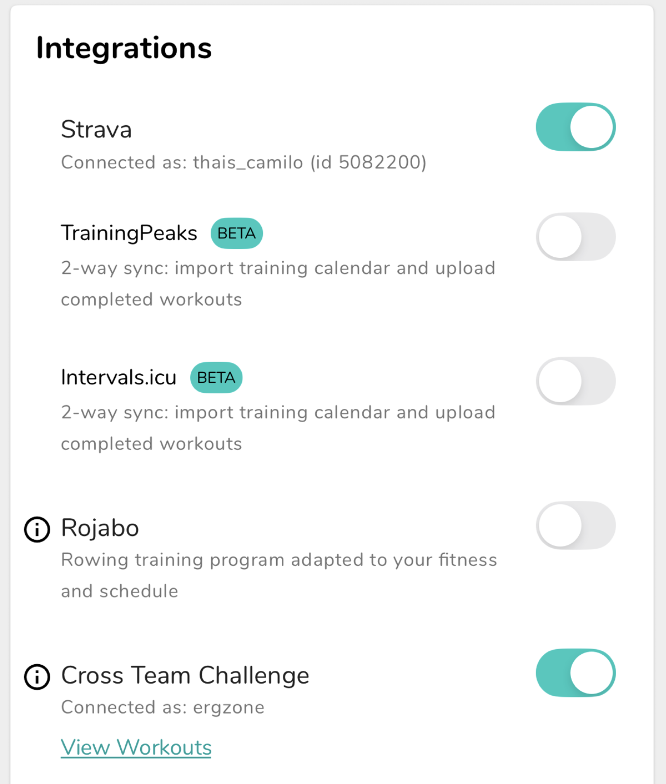
- Locate Integrations: Find the TrainingPeaks option under the "Connections" or "Integrations" menu.
- Authorize Connection: Tap to connect and log in with your TrainingPeaks credentials.
-
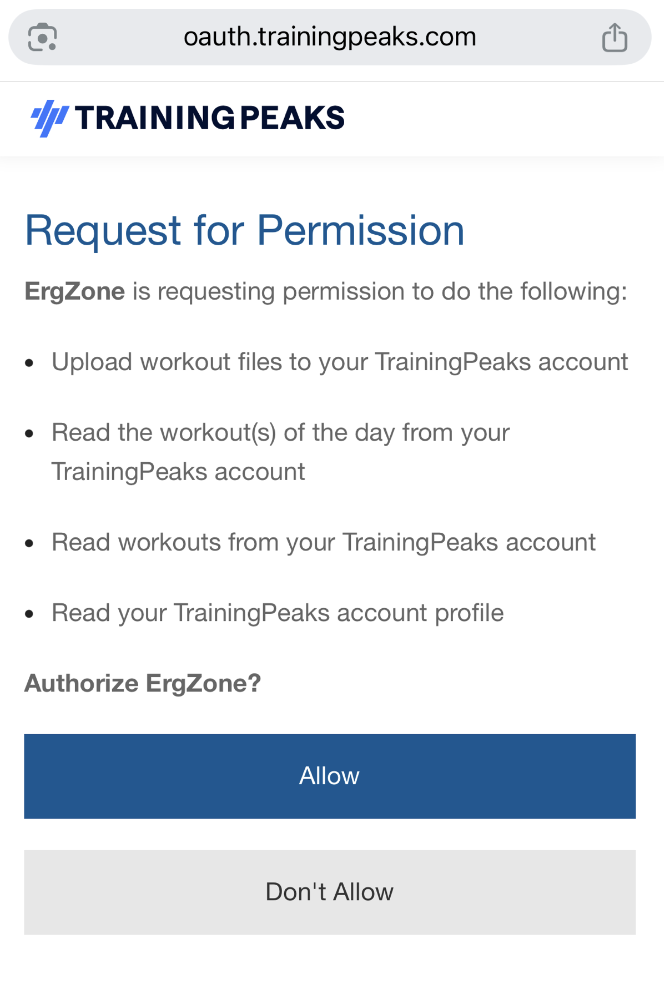
Grant Permissions: Tap "Allow"
Note: A valid ErgZone+ subscription is required to enable and maintain this integration.
Managing Your Workouts
Finding Your Plan
Once connected, a dedicated TrainingPeaks Track will appear in your ErgZone library. Any workout scheduled for the current date in TrainingPeaks will be ready for you to start immediately.

Syncing Frequency
ErgZone periodically refreshes your TrainingPeaks calendar throughout the day. If you have made a last-minute change to your schedule in TrainingPeaks, you can trigger an immediate update by using the Manual Sync button (circular arrow) located at the top of the TrainingPeaks track.
Post-Workout Analysis
After you finish your session and the monitor disconnects, ErgZone pushes the data to TrainingPeaks automatically. You can then log in to TrainingPeaks to view your TSS (Training Stress Score), power zones, and recovery metrics.
Do I need TrainingPeaks Premium?
No. The integration works with both Free and Premium TrainingPeaks accounts.
Can I edit the workout in ErgZone?
Workouts are pulled exactly as they are built in TrainingPeaks. For interval changes, edit the workout in TrainingPeaks and then resync ErgZone.
Why isn't today's workout showing?
Ensure the workout is "Built" using the TrainingPeaks Workout Builder. Text-only descriptions cannot be automatically programmed.
Does it work for multi-sport?
No.
TrainingPeaks does not currently support these specific workout types. If this is a feature you need, please contact us so we can track demand for future updates.